Your life, already on the page.
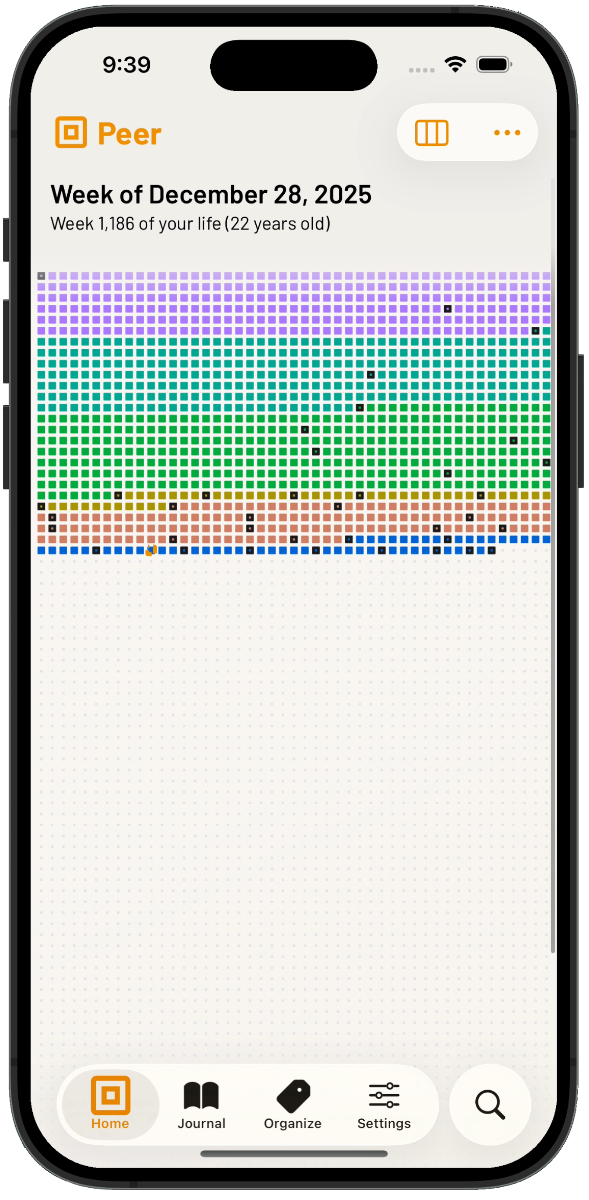
Most journals hand you a blank page. Peer hands you your life — every week you have lived, the eras that shaped it, the milestones worth keeping. Look closely and you start to make things out.
Record as much of it as you like, free. Unlimited eras, unlimited tags, journaling at every scale, full export. One optional purchase unlocks what Peer makes of it.
If you’re coming from 4KWks.
Peer is what 4KWks grew into. The grid is still the first thing you see, and it still shows every week — but now you can also step back to months and years, or in to a single day. Eras have real start and end dates. Journaling is no longer one note per cell.
Your data comes with you. Export from 4KWks (no purchase needed, in Settings) and import into Peer. Eras, tags, notes, dates — all of it lands intact.
4KWks is now free in full for everyone who has it, and stays downloadable for existing owners. It will not be updated again.
See Peer in action.
One life, at four scales — and a journal that knows where each entry sits.
A different relationship with time.
Life as a grid
Every week laid out at once — lived, current, remaining. Time stops being abstract the moment you can see the end of it.
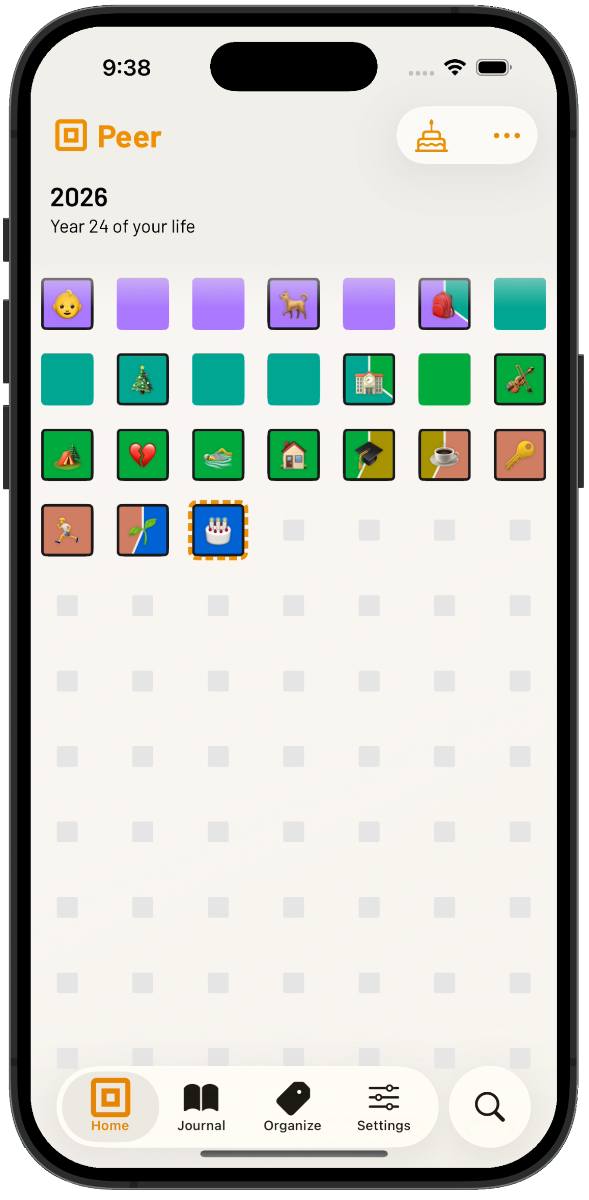
Four scales, one life
Day, week, month, year. Zoom out for the shape of a decade; zoom in for the afternoon you want to remember properly.
Eras with edges
School, cities, jobs, relationships, recoveries. Give them start and end dates and they colour the grid. Overlaps show. Gaps show. Patterns you never articulated show.
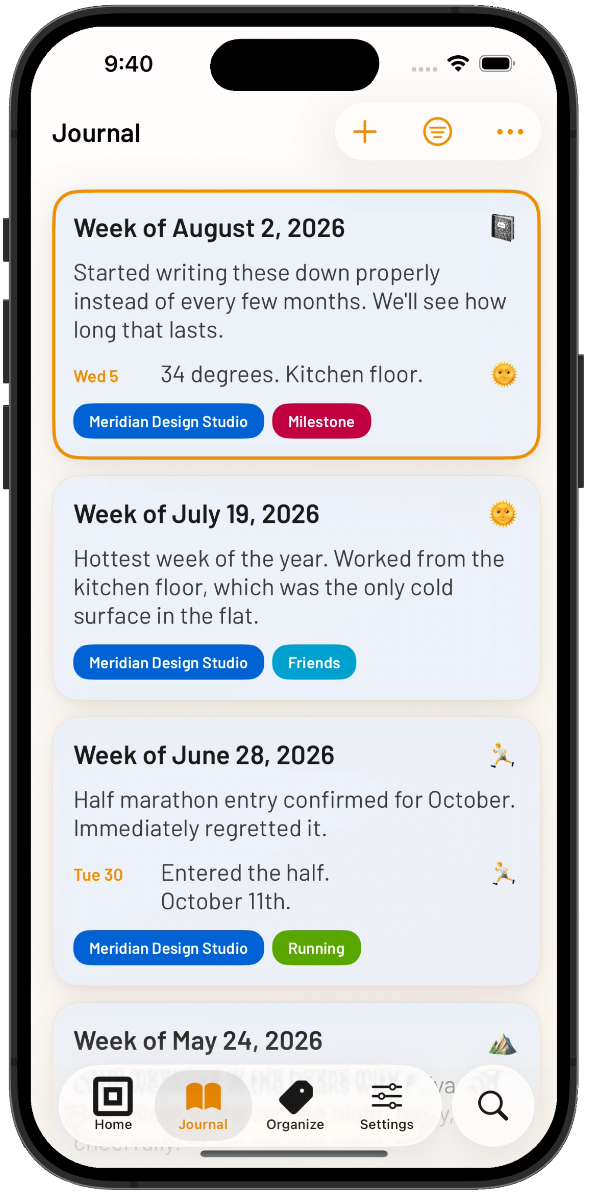
Journaling without the blank page
Every entry lands somewhere — inside an era, next to a milestone, in a specific week of a specific year. Context you never have to supply yourself.
Your calendar as prompts
Optional. Pull the week’s events in beside the journal so you’re never writing from nothing. Nothing is stored, nothing is uploaded, nothing leaves the device.
Summary drafts, on device
Apple Intelligence turns a month of entries into a draft you can edit or discard. It runs on your phone. Your writing is never sent anywhere.
The poster
Export your whole life as a single-page PDF. Print it. Put it on a wall. The most useful thing Peer makes is the thing that isn’t on your phone.
Yours alone
No account. No sign-in. No analytics. No notifications. Nothing to opt out of, because there was never anything to opt into.
A grid for every kind of life.
Memento mori, decade reviews, a life record, eras, family — same grid, many lenses.
Memento mori
The awareness that time is finite, without the dread. A glance reframes what is actually worth doing this week.
The decade review
A birthday with a zero in it, or a year ending. The grid surfaces the chapters you would otherwise have forgotten to count.
A life record, kept properly
Not a diary you fall behind on. A record of what your life has consisted of, added to whenever there’s something to add.
Seasons and eras
Jobs, cities, relationships, training cycles, recoveries. Give each one edges and watch how they actually overlapped.
Family alongside you
Your children’s school years, a parent’s later decades, plotted against your own weeks. Side by side, at the same scale.
Nothing you record is behind a paywall.
Peer never sells you your own life back. Everything you put in, and everything you’d want to take out, is free — permanently, with no account and no trial clock.
Free, always
- Unlimited eras and tags
- Journaling at every scale — day, week, month, year
- The full life grid, at every zoom level
- Complete data export, any time
Peer Premium
- The single-page poster, exported to PDF
- Readings: patterns Peer finds in your own record
- Summary drafts, written on your device
- Your calendar events pulled in as journaling prompts
No subscription. No tiers. No renewal.
A deeply personal artifact, kept that way.
Peer is built so that the most personal thing you may ever record — your life — stays privately yours. There is no sistnt account, no sistnt server, and no telemetry. Sync is optional and entirely Apple’s: turn on iCloud and your record travels through your own Apple ID’s private storage, where sistnt cannot reach it. Leave it off and nothing ever leaves the device.
Summary drafts are generated by Apple Intelligence on your phone; your entries are not sent anywhere to produce them. Calendar events are read when you open the week and are never stored. The poster and the exports are generated on device — what you make is yours to print, share, or keep to yourself.
Peer will not chase you.
There are no streaks, no reminders you didn’t ask for, no badge counts, and no messages telling you that you’ve been away. Peer has no interest in your attention — you bought it once, and it has nothing left to sell you.
Come back when you have something to record. The grid will have kept going without you.
Frequently asked questions.
Need help?
Visit the support centre for documentation, migration steps, and how to get in touch.
Visit Peer support →